Please Choose Your Language
close
Choose Your Site
Global
Social Media


| Quantity: | |
|---|---|
| PDF Export | |


T391-3-1 T391-3-2
SiRON
8517621900
Specification
| Model number | T391-3-1 |
| Power source | 18-36V(typical value 24V/70mA),with overvoltage and overcurrent protection |
| EtherCAT port | RJ45,100M |
| Operating temperature | -30~75℃ |
| Working humidity | 5%to 95%no condensation |
| Installation mode | DIN-rail mounting |
| Model number | T391-3-2 |
| Powersource | 18-36V(typical value 24V/140mA),with overvoltage and overcurrent protection |
| EtherCAT port | RJ45,100 |
| Operating temperature | -30~75℃ |
| Working humidity | 5%~95%no condensation |
| Installation mode | DIN-rail mounting |
Dimensions
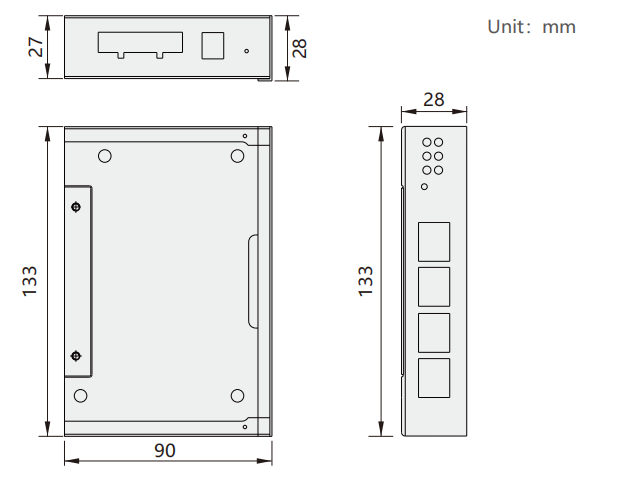
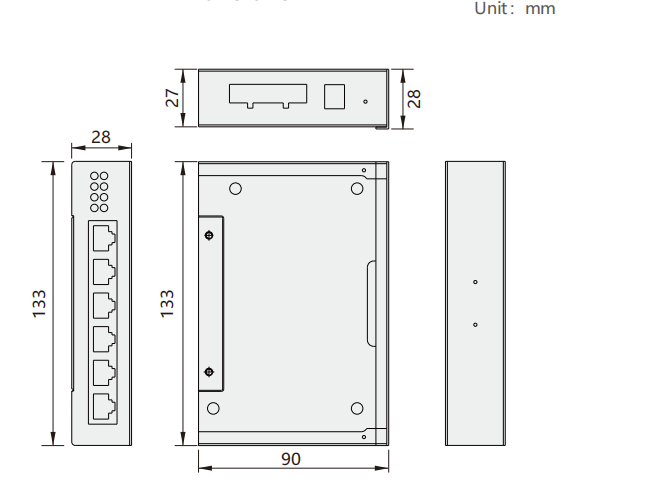
Power interface
The power interface of this module is shown in the following figure. It supports crimping terminal connection and round head power connection, supports dual power supply redundancy, and supports 18-36V input
| Legend | Interface symbol | Parameter description | |
 | Round head V1 | Connect to the round head power supply of 18 to 36V(do not connect to terminal V1 simultaneously) | |
| terminal V1/V2 | Connect to a direct current of 18 to 36V | ||
| G | Connect to a DC voltage of 18 to 36 volts | ||
| PE | grounding | ||
Indicator light definition
| Indicator legend | Pilot lamp | Parameter description |
 | Pilot lamp PWR OP IN | The power indicator light remains on constantly, indicating that the power supply is normal When the split ter enters the OP state,it remains on constanly;otherwise,it goes out |
| OUT4 OUT2 OUT3 | Constant light:Network link is established. Blinking:Link active with data communication. Light off:Network disconnected. |
| Indicator legend | Pilot lamp | Parameterdescription |
 | PWR | The power indicator light remains on constantly,indicating that the power supply is normal |
| OP | When the splitter enters the OP state,it remains on constantly;otherwise,it goes out | |
| IN | Steady On:Network connection established Flashing:Network connected with data communication Off:No networ connection | |
| OUT4 | The same as IN1 indicates the network status of port OUT4 | |
| OUT2 | The same as IN1 indicates the network status of port OUT2 | |
| OUT8 | The same as IN1 indicates the network status of port OUT8 | |
| OUT6 | The same as IN1 indicates the network status of port OUT6 | |
| OUT7 | The same as IN1 indicates the network status of port OUT7 |
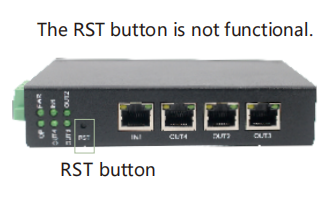
RST key
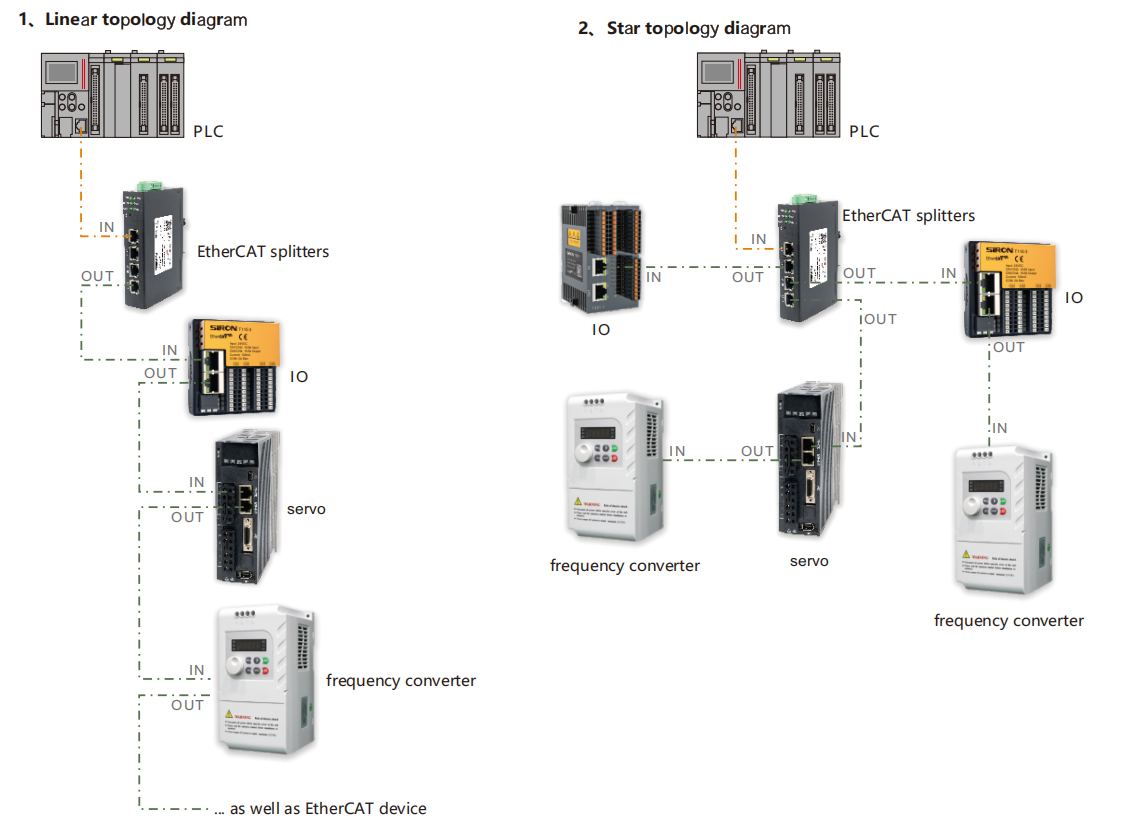
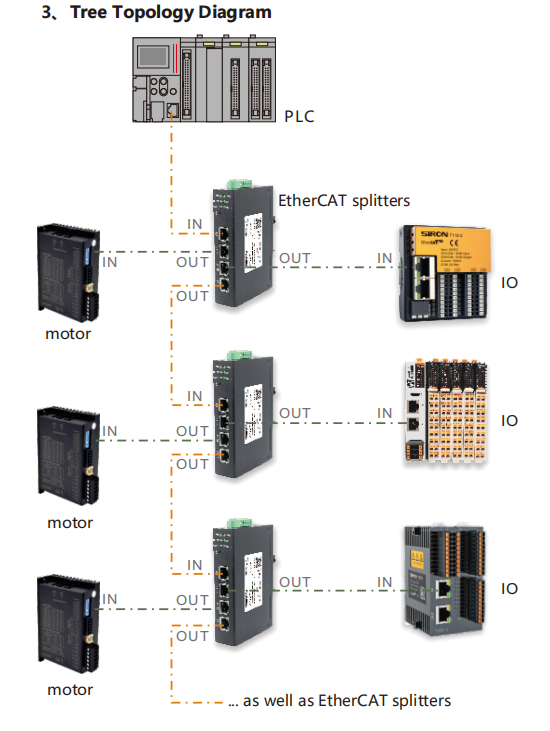
Network application topology