
Please Choose Your Language
close
Choose Your Site
Global
Social Media
Views: 0 Author: Site Editor Publish Time: 2026-10-20 Origin: Site


Imagine you are about to finalize a high-stakes client contract on a video conference, or perhaps you are executing a critical server backup. Suddenly, the screen freezes, audio drops, and the connection completely times out. Wi-Fi instability strikes again. While wireless technology offers undeniable mobility, it remains fundamentally susceptible to radio interference, wall obstruction, and distance degradation. From an engineering standpoint, hardwired connections solve this instantly.
Because poor network stability directly translates to lost productivity and revenue, relying on a physical Ethernet cable provides the uncompromising, high-speed internet access required for heavy digital workloads. In this technical guide, we will break down exactly how these physical network cords transmit data, explore the electrical science behind their design, and provide a field-tested framework to help you select the exact specifications for your infrastructure.
Physical Connectivity: Network cords are tangible cables engineered to link hardware devices like computers, routers, and switches to a Local Area Network. This provides significantly faster and more stable data transmission than any wireless alternative.
Internal Anatomy: Beneath the protective outer jacket, copper wires are grouped into tightly twisted pairs. Specific pins handle data transmission, while others simultaneously manage data receiving.
Performance Categories: Cables are classified by performance tiers like Cat5e, Cat6, and Cat8. Higher numbers indicate tighter manufacturing tolerances, supporting faster data transfer speeds and wider bandwidth frequencies.
Standardized Connectors: The universal termination at the end of these cords is known as the RJ45 connector, operating on an 8-position, 8-contact configuration.
Strategic Selection: Choosing the correct cord requires analyzing your Internet Service Provider speeds, local switch backplane capacity, and the potential need for shielding against electromagnetic interference.
An Ethernet cable is a standardized telecommunications cord utilized primarily in wired local area networks. Governed by the stringent IEEE 802.3 standards, these cords are specifically engineered to link devices, allowing them to seamlessly share data packets and access the broader internet without signal drops.
While Wi-Fi provides unparalleled device mobility, it transmits data via radio waves. This transmission method makes wireless signals highly vulnerable to physical obstructions like concrete walls, distance degradation, and signal interference from overlapping household electronics. Furthermore, standard wireless connections operate on a half-duplex system. This means your devices cannot send and receive data simultaneously; they must constantly take turns, creating micro-delays.
In stark contrast, a wired network connection establishes a dedicated, unshared physical pathway for data transmission. Operating on a full-duplex system, this hardware allows simultaneous sending and receiving. For end-users and network administrators alike, the practical results are dramatically lower latency, enhanced data security, and the complete elimination of random signal packet loss.
Technical Feature | Ethernet Wired | Wi-Fi Wireless |
|---|---|---|
Connection Medium | Physical copper or fiber optics | Radio frequency waves |
Transmission Mode | Full-duplex simultaneous | Half-duplex sequential |
Latency Impact | Extremely low, typically under 1ms | Highly variable, often exceeding 10ms |
Interference Susceptibility | Extremely low, especially with shielding | High, affected by walls and overlapping networks |
Due to their unwavering stability, hardwired connections are deployed in environments where data packet loss is entirely unacceptable. Common applications range from corporate data centers and medical imaging facilities to home offices requiring flawless VoIP calls. Point-of-sale systems, hardcore gaming setups, and smart displays streaming high-bitrate 4K media also rely heavily on these dedicated physical links.
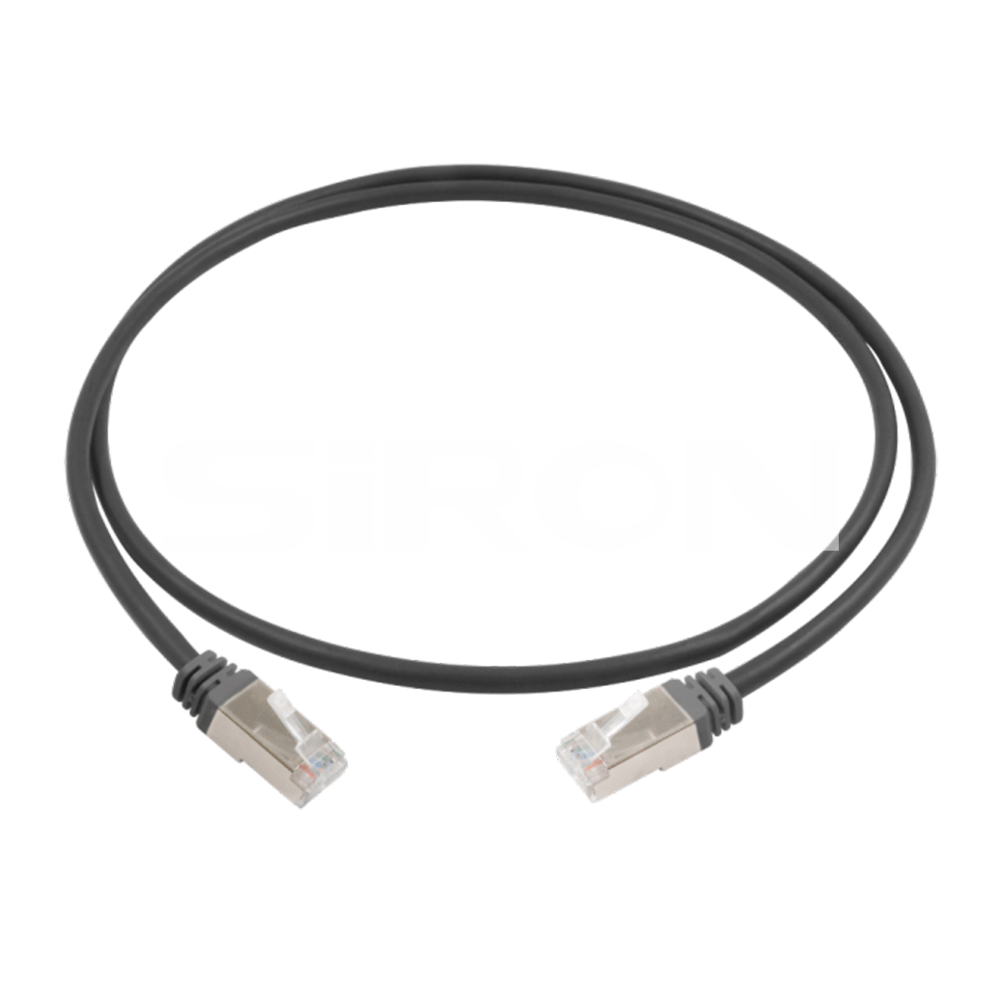
Understanding the mechanics of wired networking requires looking beneath the protective outer jacket. The seamless transmission of gigabytes of data per second is not magic. It is achieved through highly precise electrical engineering and differential signaling.
If you strip back the plastic exterior of a standard cord, you will uncover eight individual copper wires. These are color-coded and tightly twisted together into four distinct pairs. Interestingly, this twisting is not merely for physical organization within the tube. It is a critical scientific requirement designed to maintain signal integrity.
When electrical signals travel rapidly through copper wires, they generate an electromagnetic field that can bleed into adjacent wires, a phenomenon known as crosstalk. They can also absorb external electromagnetic interference. By twisting the wires together, the electromagnetic fields generated by each wire effectively cancel each other out. Consequently, the tighter the twist rate, the higher the cable's ability to reject internal crosstalk and support massive data frequencies without corruption.
At the termination point of the cord, those eight internal wires are aligned into specific metallic pin positions. The exact function of these pins depends entirely on the network speed protocol being utilized by your routing hardware.
In older legacy networks, only two of the four pairs are actively engaged. Two specific pins are exclusively dedicated to transmitting data, while another two are dedicated to receiving data. The remaining four pins sit completely unused. However, modern Gigabit networks demand significantly more bandwidth. To achieve Gigabit speeds and beyond, the network standard utilizes all four pairs simultaneously. Every single pin becomes involved in both transmitting and receiving data at the exact same time, carefully managed by complex echo-cancellation algorithms inside your network switch.
The physical interface where the cord meets the hardware port is just as critical as the internal copper wiring. A loose or poorly crimped connection at the termination point can throttle network speeds entirely, rendering high-quality internal wiring completely useless.
The familiar transparent plastic plug found at the end of almost all copper network cords is technically referred to as an RJ45 connector. This plug utilizes an 8-position, 8-contact design.
Inside that plastic housing, eight microscopic metal grooves hold the individual copper wires in place. Above these wires sit eight gold-plated metal contacts. When you push the RJ45 plug into a computer network port, these gold contacts press firmly against corresponding metal pins inside the port, completing the electrical circuit. Gold is specifically chosen for these contacts because it is a highly conductive metal that naturally resists oxidation and long-term corrosion, ensuring years of uninterrupted service.
When evaluating network hardware for deployment, engineers frequently encounter the terms snagless and standard non-snagless. This distinction refers to the physical design of the plastic retention clip on the RJ45 connector.
A non-snagless connector leaves the retention clip fully exposed. While this makes it slightly easier to press and unplug, the exposed clip can easily catch on other cables or desk edges when being pulled through tight server racks, causing it to snap off. Without that vital clip, the plug will not lock securely into the port. Conversely, snagless connectors feature a molded plastic hood that covers the base of the retention clip. This protective arch prevents the clip from catching on obstacles during routing, significantly increasing the physical lifespan of the cord during installation.
Looking at the broader telecommunications landscape, network infrastructure is undergoing a massive transformation. The rapid proliferation of AI-integrated edge computing, high-density Internet of Things sensors, and enterprise-grade remote work environments is driving unprecedented bandwidth consumption. Furthermore, the rollout of Wi-Fi 7 access points requires a massive wired backhaul to function correctly. A wireless router capable of broadcasting at 10 Gbps is useless if the physical cord feeding it data is bottlenecked at 1 Gbps.
Additionally, Power over Ethernet technology is becoming the standard for powering security cameras, smart lighting, and VoIP phones directly through the data cord. This dual-purpose demand requires thicker copper conductors and superior heat dissipation. Consequently, industry experts project that standard Cat5e will soon be entirely phased out of commercial installations, with Cat6a becoming the absolute baseline, and Cat8 seeing rapid adoption in prosumer smart homes aiming to future-proof their internal data pathways.
To ensure global compatibility, network cords are standardized by the Telecommunications Industry Association into sequential Categories. As the category number increases, the internal engineering improves, allowing the cord to handle faster data speeds and higher bandwidth frequencies.
Introduced as an upgrade to legacy systems, Cat5e reduces crosstalk enough to support base Gigabit speeds up to 1,000 Mbps with a bandwidth of 100 MHz. While it can transmit data up to 100 meters, it is rapidly becoming obsolete for high-bandwidth applications like 4K video editing and large-scale server backups.
Category 6 represents the current baseline for modern residential and commercial installations. Standard Cat6 supports speeds up to 10 Gbps, but only over shorter distances up to 55 meters. It achieves this stability through tighter wire twists and a physical plastic spline down the center to separate the internal pairs.
Stepping up, Cat6a maintains those massive 10 Gbps speeds over the full 100-meter standard distance and doubles the bandwidth capacity to 500 MHz. Featuring thicker insulation and superior crosstalk rejection, Cat6a is currently the recommended standard for future-proofing newly constructed buildings and modern business offices.
These advanced categories are engineered specifically for extreme environments demanding massive data throughput. Cat8, currently the pinnacle of copper networking, supports staggering speeds of 25 Gbps or 40 Gbps with a massive bandwidth of 2000 MHz. However, these peak speeds are only achievable over short runs up to 30 meters. Heavily shielded and remarkably thick, Cat8 is primarily built for switch-to-switch communications in enterprise data centers or for hardcore enthusiast setups.
When designing a network infrastructure, managing external interference is a critical decision. As data travels through copper wires in the form of electrical pulses, it becomes highly susceptible to Electromagnetic Interference and Radio Frequency Interference. These disruptions can originate from nearby power lines, fluorescent lighting, or heavy industrial machinery. To combat this, manufacturers offer cables with varying levels of physical protection.
Unshielded configurations represent the most common deployment for residential networking. As the name suggests, these cables lack any additional foil or braided metal shielding beneath the outer plastic jacket. They rely entirely on the physical twisting of the copper pairs to cancel out minor interference.
Because they do not contain stiff metal shielding, unshielded cables are highly flexible, lighter in weight, and much easier to route around tight corners. For standard home environments and small offices without heavy electrical equipment, this configuration provides perfectly adequate performance.
In environments where electromagnetic noise is prevalent, standard twisting is insufficient to protect data integrity. A shielded Ethernet cable incorporates physical barriers, usually aluminum foil, braided copper mesh, or a combination of both, wrapped tightly around the internal wires to block external noise.
Shielded cords are strictly required in industrial manufacturing settings, medical facilities with heavy imaging equipment, and dense server racks. It is important to note from an installation perspective that shielded cables are thicker, stiffer, and must be properly grounded using specialized metal-shielded RJ45 connectors to drain the interference away safely.
Transitioning from understanding the technical specifications to making a purchasing decision requires evaluating your specific use case. Over-purchasing leads to wasted budget, while under-purchasing creates frustrating network bottlenecks. Here is an objective framework to guide your selection.
The performance of any network is strictly limited by its slowest component. It is a common misconception that upgrading a cable will automatically increase your web browsing speed. If your Internet Service Provider delivers a maximum speed of 500 Mbps, installing a 40 Gbps-capable Cat8 cord will not magically force your internet to exceed that provider limit.
However, the internal speed of your Local Area Network is entirely different. If you frequently transfer massive video files between a local workstation and a Network Attached Storage drive, the bandwidth of your internal hardware matters significantly. Matching a 10 Gbps network switch with a high-quality Cat6a cord will drastically reduce file transfer times, independent of your outside internet speed.
Signal degradation, technically known as attenuation, is a critical factor in network design. As electrical signals travel across copper, they gradually lose strength. Standard networking protocols dictate that data transmission is reliable up to a maximum distance of 100 meters. Pushing data beyond this limit without an active network repeater results in severe packet loss. If you require 10 Gbps speeds over an 80-meter run across a large warehouse, a standard Cat6 will fail to maintain peak speeds; a Cat6a is objectively required for that extended distance.
The physical environment where the cord will reside dictates the type of outer jacket required. Standard indoor cables typically utilize Polyvinyl Chloride jackets, which are flexible and ideal for running behind desks. Alternatively, if you are routing cords through the air return ventilation spaces of a commercial building, fire codes strictly require Low Smoke Zero Halogen jackets, engineered to emit minimal toxic smoke in the event of a fire. For outdoor applications, standard indoor jackets will quickly degrade under UV light, requiring direct-burial rated jackets featuring UV resistance and internal waterproofing gel.
For network administrators, IT professionals, and power users requiring enterprise-grade reliability, standard consumer cords often fall short in durability and consistent performance. When building an infrastructure designed to handle high-density data traffic without interruption, selecting hardware engineered to rigorous industrial standards is a practical necessity.
Specifically, specialized solutions like the SiRON X235 Series Ethernet cable provide a distinct operational advantage. Designed to meet strict performance metrics, this series addresses the exact failure points found in budget networking gear. Built with pure bare copper conductors rather than cheap copper-clad aluminum, it ensures superior signal conductivity and safe Power over Ethernet transmission. The robust construction of the outer jacket and the precision of the internal twisted pairs ensure that data transmission remains incredibly stable, mitigating the risk of internal crosstalk. This directly reduces latency spikes during critical operations like server backups or high-definition video conferencing.
Beyond just raw speed, the termination points on the X235 Series utilize high-quality 50-micron gold-plated contacts paired with a secure snagless boot design. This ensures a consistent electrical pathway from your switch to your end device, eliminating the intermittent connection drops that plague poorly manufactured alternatives. By integrating hardware built to these meticulous specifications, users can effectively future-proof their local area networks and significantly reduce long-term maintenance headaches.
While Wi-Fi remains highly convenient for daily, low-bandwidth browsing, a hardwired network provides unmatched stability, security, and throughput. By establishing a dedicated physical pathway, a premium network cord remains the undisputed top choice for maximizing speed and eliminating frustrating latency. Understanding the nuances of internal shielding, category limits, and connector designs allows you to purchase hardware wisely, ensuring your infrastructure is neither bottlenecked nor unnecessarily over-engineered. Whether you are wiring a high-tech smart home or upgrading a corporate server room, investing in reliably constructed premium network cables ensures your devices can operate at their maximum theoretical potential. Upgrade your physical setup today to experience the true speed of your network hardware.
Yes, but only when exceeding specific standardized limits. For most standard categories like Cat5e and Cat6a, data can travel up to 100 meters before signal attenuation causes noticeable packet loss and speed reduction. However, a standard Cat6 cable will drop from 10 Gbps capabilities down to 1 Gbps if the length exceeds 55 meters. For standard home use, which is typically under 20 meters, length will not negatively impact your internet speed.
Yes, the networking hardware industry strictly utilizes backward compatibility. The standard RJ45 connector has remained structurally identical for decades. You can plug a brand-new Cat8 cord into a ten-year-old router, or a legacy Cat5e cord into a modern Wi-Fi 7 router. However, the connection will always default to the lowest common denominator. A premium cable cannot force aging hardware to transmit data faster than its physical limits allow.
The small plastic retention clip on the RJ45 connector is vital for maintaining physical layer stability. Its sole purpose is to lock the copper contacts of the plug tightly against the gold pins inside the router or switch port. If the clip breaks, the plug can easily vibrate loose or be pulled out by the weight of the cord itself. Even a millimeter of separation can cause severe connection drops or complete network failure. It is highly recommended to replace the cord entirely or use a crimping tool to attach a new connector.
While modern wireless protocols like Wi-Fi 6 and Wi-Fi 7 boast massive theoretical speeds, a direct wired connection remains fundamentally superior for consistency. Wi-Fi operates on half-duplex technology, meaning a device must take turns sending and receiving data. Wired connections operate on full-duplex technology, allowing simultaneous transmission and reception. Furthermore, physical cables are entirely immune to the wireless congestion caused by thick walls, microwaves, and neighboring router signals, resulting in significantly lower and more stable latency.
Yes, physical network cords can degrade, though they typically last for over a decade if undisturbed. The most common points of failure are the RJ45 connectors at the ends, which can suffer from oxidized contacts or broken retention clips due to frequent plugging and unplugging. Internally, if a cord is bent beyond its minimum bend radius, crushed under heavy furniture, or exposed to extreme heat or UV light without a proper outdoor jacket, the copper pairs can fracture, leading to intermittent speed drops or total failure.
While standard network cords can transmit Power over Ethernet, the quality of the cable matters significantly as power levels increase. Modern devices like high-end security cameras and Wi-Fi access points draw substantial wattage. It is highly recommended to use cables made from pure bare copper rather than cheaper copper-clad aluminum for these applications. Pure copper dissipates heat much more effectively, preventing the cable from overheating and ensuring stable power delivery alongside high-speed data transmission.


